Browser Extension
Type For Me
Human-like typing into any field from the caret—Google Docs, forms, and chat. Paste, clean, pause, continue.
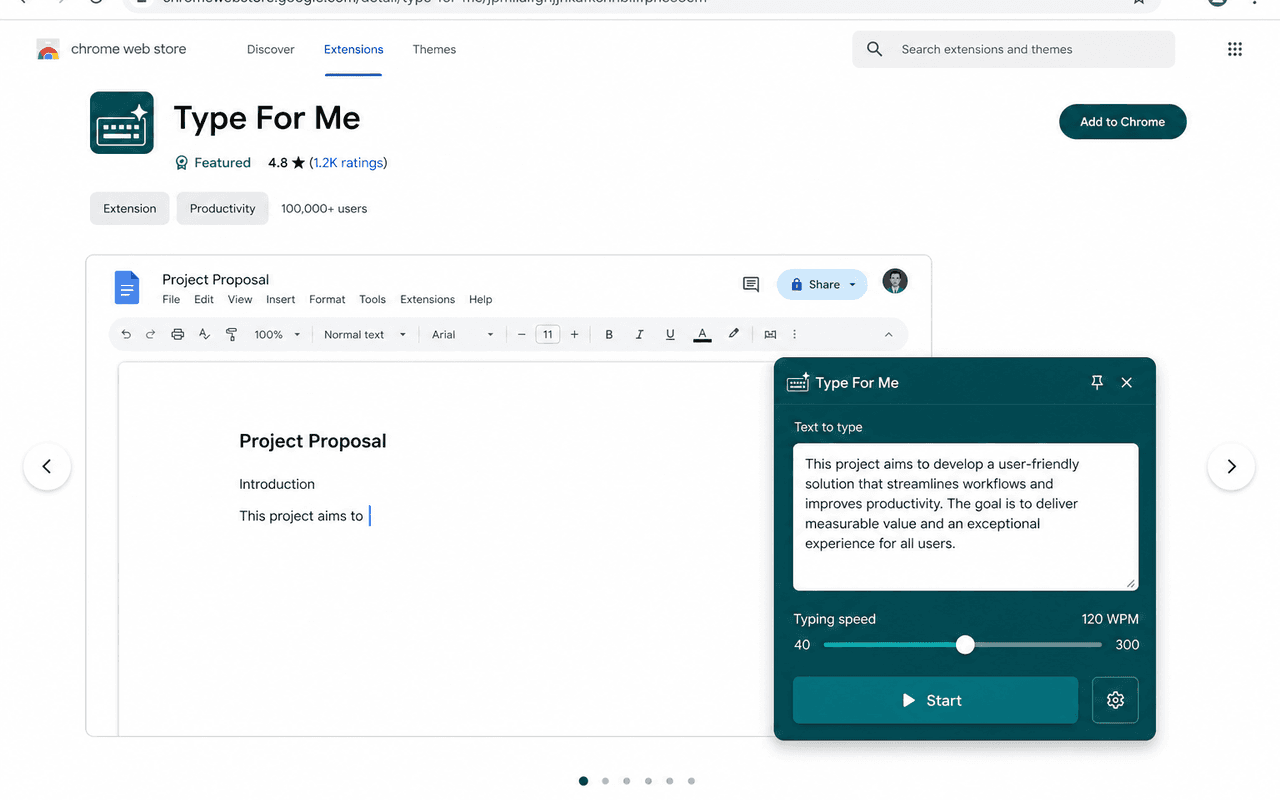
Built for long answers
Paste without looking like paste
Proposals, applications, and Docs drafts typed from the caret with a natural cadence—and a cleaner that strips hidden characters before they break formatting.
Features
Everything you need to type smarter
One extension for caret typing across the web.
Caret-aware
Types from where you clicked—mid-field or mid-document—without wiping what’s already there.
Human-like rhythm
Jitter, punctuation pauses, paragraph breaths, and short bursts instead of a robotic dump.
Google Docs ready
Talks to Docs’ text-event iframe so canvas editors accept keystrokes correctly.
Pause & continue
Stop anytime, then continue from the pause point or restart from the beginning.
Quick Typing
Right-click → floating panel with text, speed, and Start—or use Ctrl+Shift+Y.
Privacy first
Draft text stays in local chrome.storage. No accounts. No remote logging.
Install Type For Me
Available as a Chrome extension. After install, focus a field, paste your text, and start typing from the caret.
Privacy: eligapris.com/type-for-me/privacy