Eligapris
Products
Services
Free toolsAboutBlogContact

Products

KidSync.careaiStationErgowaLeaptrOmnishLemon AI AgentQuietViewSamepadType For MeAll products

Services

Web DevelopmentHosting & DevOpsConsultationLocal AI InferenceEducationAll servicesFree toolsAboutBlog
Contact
Eligapris

Products we ship. Engineering work we take on. Same team.

Products

  • KidSync.care
  • aiStation
  • Ergowa
  • Leaptr
  • Omnish
  • Lemon AI Agent
  • QuietView
  • Samepad
  • Type For Me
  • All products

Services

  • Web Development
  • Hosting & DevOps
  • Consultation
  • Local AI Inference
  • Education
  • All services

Company

  • About
  • Contact
  • Blog

Free tools

  • Photo Resizer
  • Metadata Remover
  • Metadata Viewer
  • Screenshot Redactor
  • Vocal Remover
  • Beat Maker
  • Sheet Music Player
  • MIDI Editor
  • AI Note Taker
  • Audio to Text
  • Markdown Editor
  • Text Transfer
  • Gemini Watermark Remover

© 2026 Eligapris. All rights reserved.

Products we ship. Engineering we take on.

Staff login

Samepad

Same ideas, everywhere you think.

Visit live productAll products
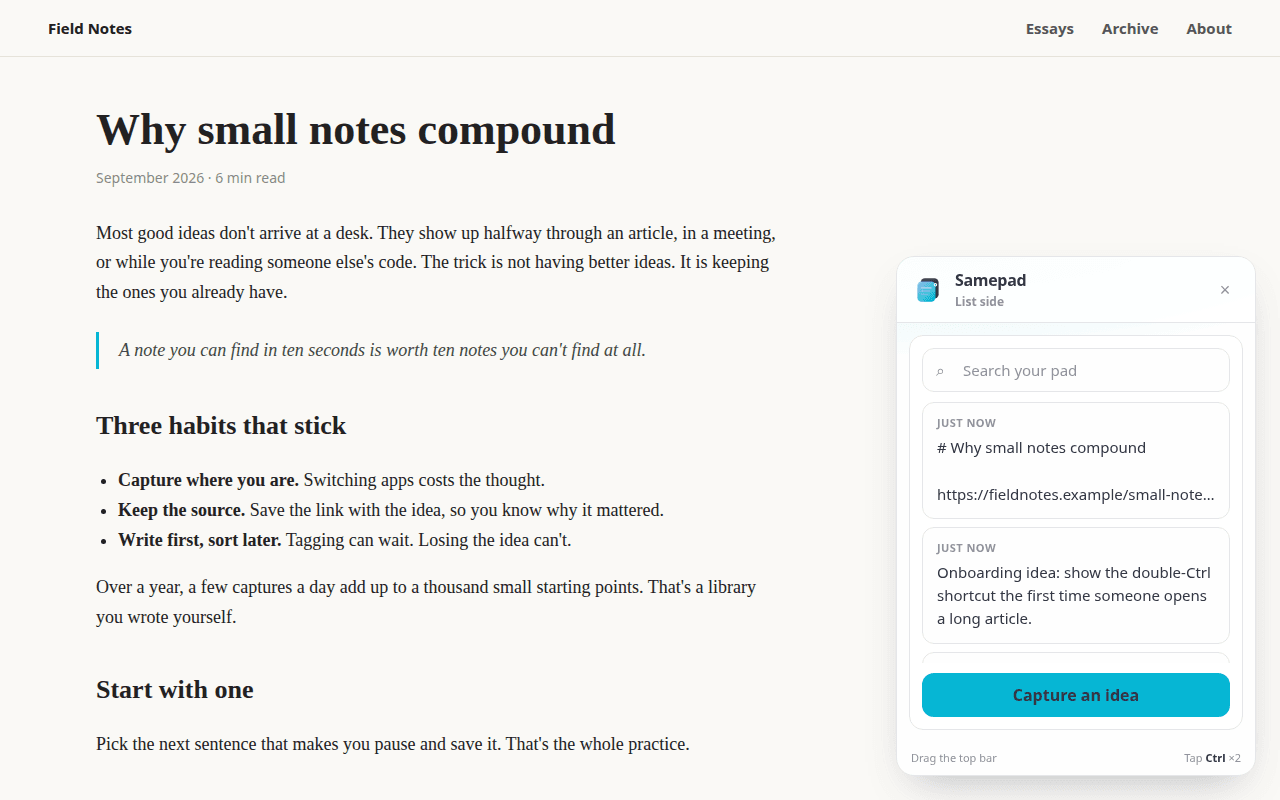
The Samepad panel floating beside an article, listing recent ideas
ChromeVS CodeTerminalAI agents
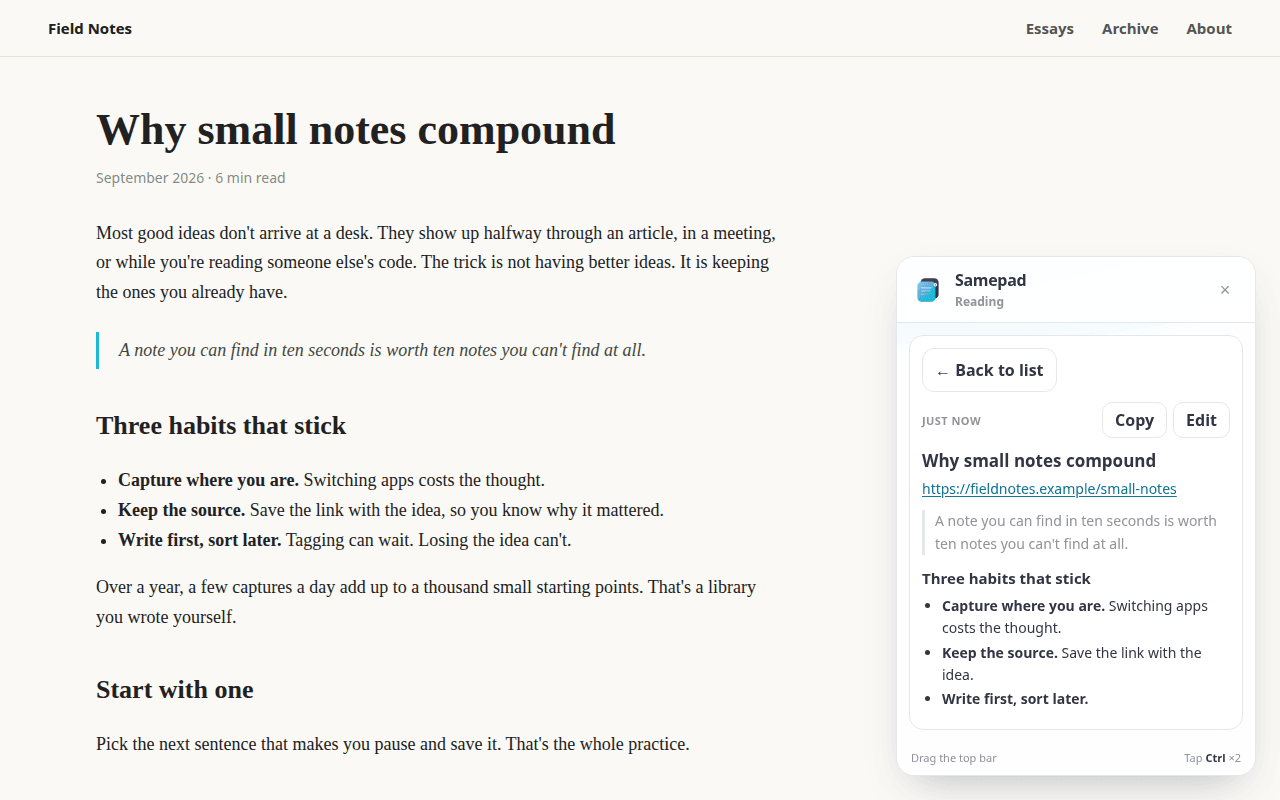
A saved idea rendered as formatted Markdown in the Samepad panel
Read any idea, formatted, with its images and voice notes
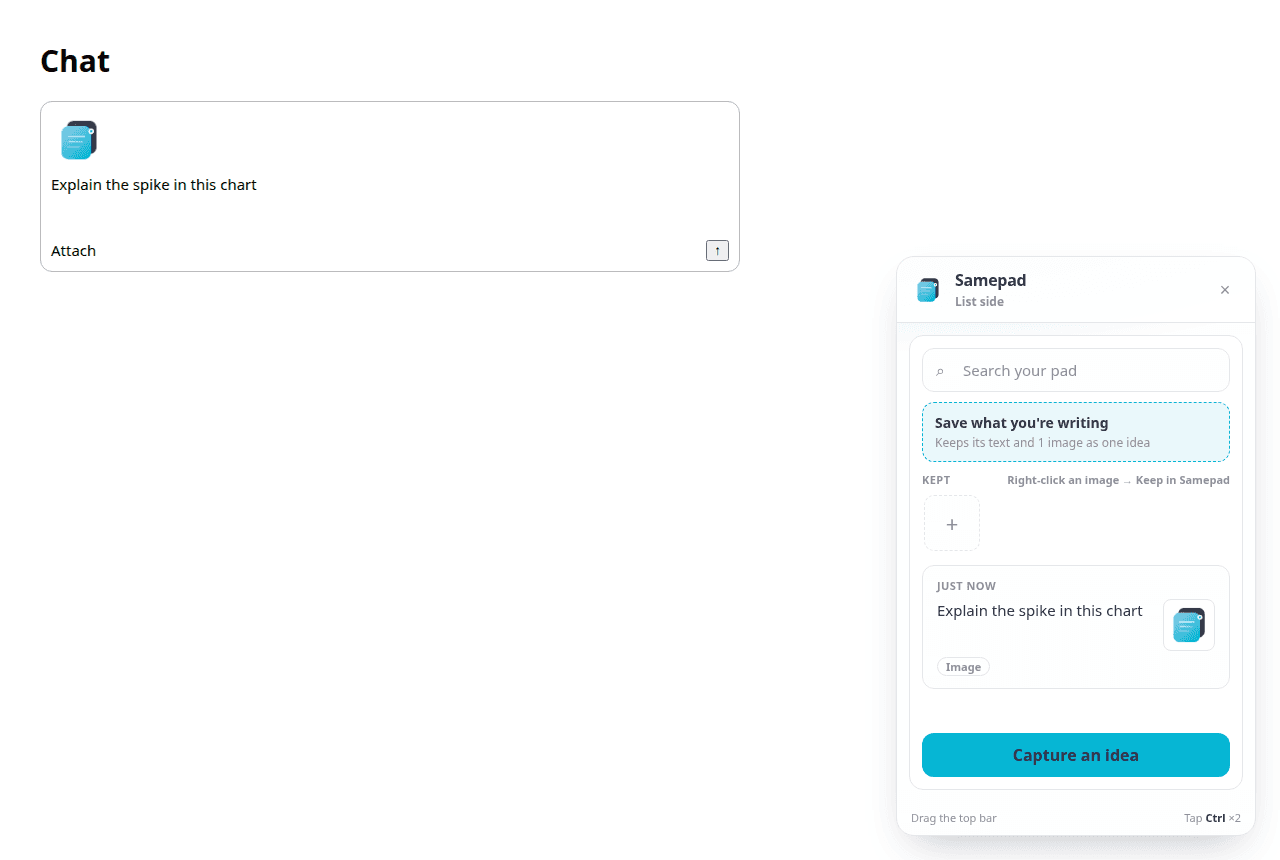
Samepad offering to save a message draft with its attached image
Save the draft you're writing, image and all
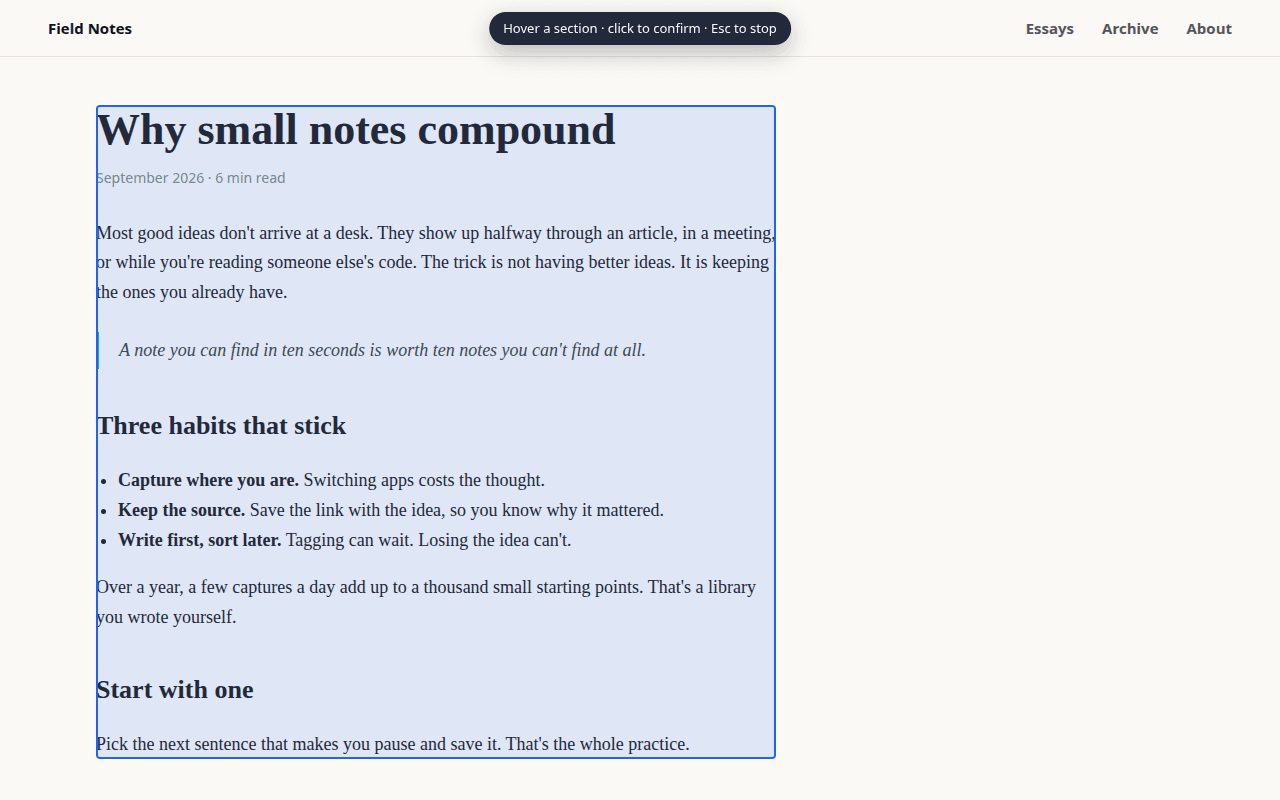
Samepad section picker outlining part of an article to save
Pick one section of a page and save it as Markdown

Why Samepad

Ideas show up mid-task. Keep them without leaving the task.

Capture where you are

Tap Ctrl twice on any page, press a shortcut in VS Code, or type one command in the terminal. No app to switch to.

Save the whole draft

Writing a prompt with a screenshot attached? Save it as one idea, text and image together, before you send.

Pour it back anywhere

Drag an idea onto any field. Samepad types the text and attaches the images, the same as if you'd pasted them.

Keep your goal in sight

In VS Code, one idea floats in its own small window above your code, with Mark done when you finish.

How it works

One pad, every place you work

1. Get a key at samepad.app

Paste it once. The terminal and VS Code share it automatically.

2. Capture

Ctrl twice in Chrome, Ctrl+Shift+M in VS Code, or samepad "your idea" in the terminal.

3. Use it again

Search, read, drag into a field, or let your AI agent pick it up over MCP.

Privacy

Your pad is yours

Private by default

Every idea is private until you choose to share it.

Kept files stay local

Files you keep for reuse in Chrome stay on your device and are never uploaded.

Public privacy policy

Read it at samepad.app/privacy/chrome-extension.

Start free at samepad.app

Quick links

samepad.app
Visit live product

Other products

Childcare director with children while KidSync shows daily operations status

KidSync.care

Operations software for licensed childcare

aiStation browser workspace with writing and image tools open

aiStation

Browser workspace for writing, image, CV, and grant tools

Ergowa shared schedule view for workers' compensation agency staff

Ergowa

Scheduling and case tracking for workers' comp agencies

Questions about Samepad?

Ask about access, fit, or how it works with your setup.

Start free at samepad.appAll products