Eligapris

Jump to

  • Free tools
  • Skill packs for AI agents
  • Founder Skill Pack
  • Products
  • Blog
  • Contact
↑ ↓ to move to openSearches everything public on eligapris.com
Products
Services
Free toolsAboutBlog
Contact

Products

KidSync.careaiStationErgowaLeaptrOmnishOmnishPilotLemon AI AgentQuietViewSamepadLampstandomnishAnimateType For MeAll products

Services

Web DevelopmentHosting & DevOpsConsultationLocal AI InferenceEducationAll servicesFree toolsAboutBlog
Contact
Eligapris

Products we ship. Engineering work we take on. Same team.

Products

  • KidSync.care
  • aiStation
  • Ergowa
  • Leaptr
  • Omnish
  • OmnishPilot
  • Lemon AI Agent
  • QuietView
  • Samepad
  • Lampstand
  • omnishAnimate
  • Type For Me
  • All products

Services

  • Web Development
  • Hosting & DevOps
  • Consultation
  • Local AI Inference
  • Education
  • All services

Company

  • About
  • Contact
  • Blog

Free tools

  • Photo Resizer
  • Metadata Remover
  • Metadata Viewer
  • Screenshot Redactor
  • Vocal Remover
  • Beat Maker
  • Sheet Music Player
  • MIDI Editor
  • AI Note Taker
  • Audio to Text
  • Markdown Editor
  • Text Transfer
  • Gemini Watermark Remover
  • Linux Health Check
  • Dev Skill Pack
  • Founder Skill Pack

© 2026 Eligapris. All rights reserved.

Products we ship. Engineering we take on.

Staff login

Church presentation and live stream · Windows, Mac, Linux

Sunday's screen and live stream, from one window.

Lampstand shows songs, Bible verses and announcements on the church screen, and sends the same service to YouTube or Facebook with name bars and captions. One person can run all of it.
Download LampstandAll downloads
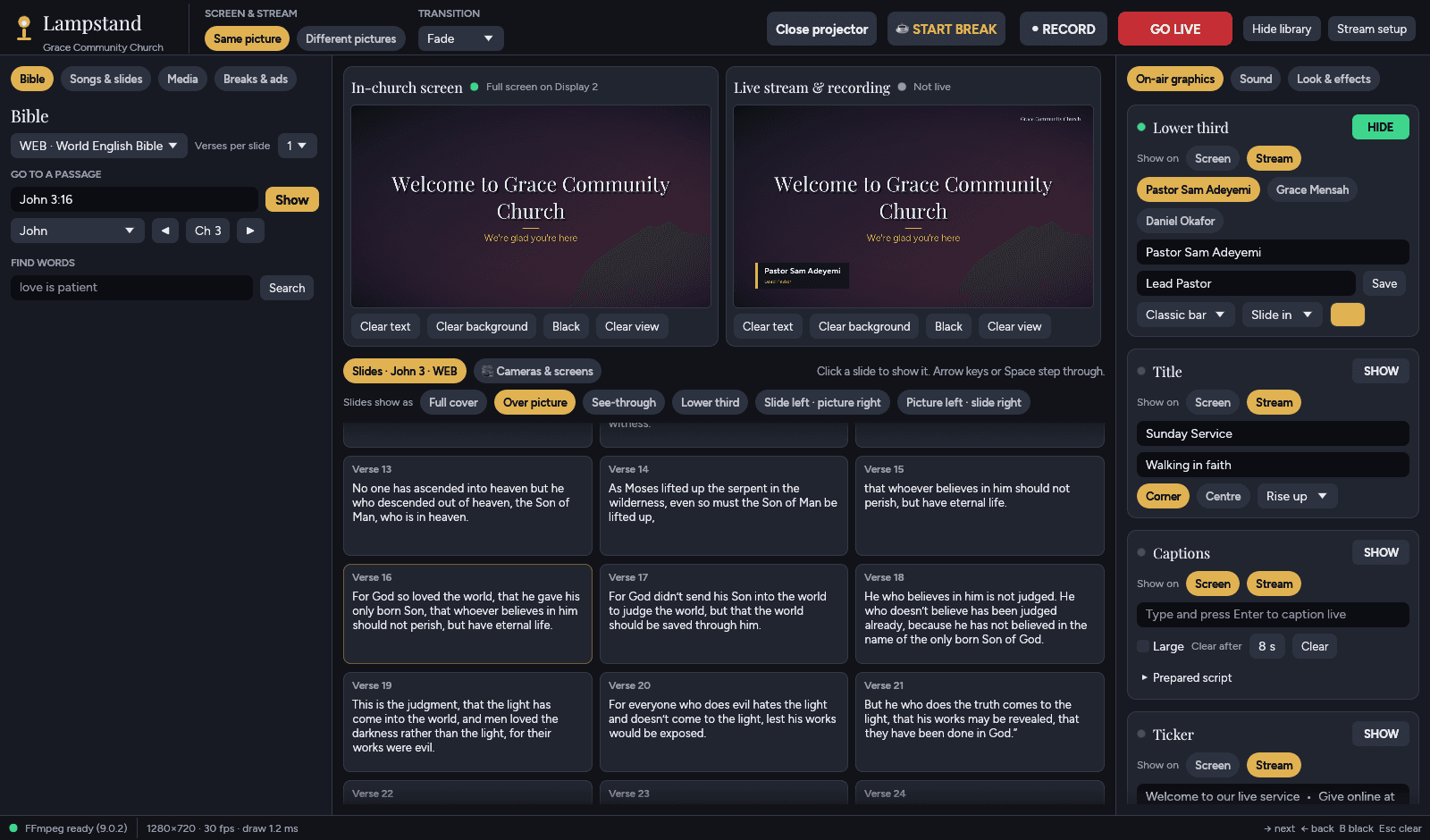
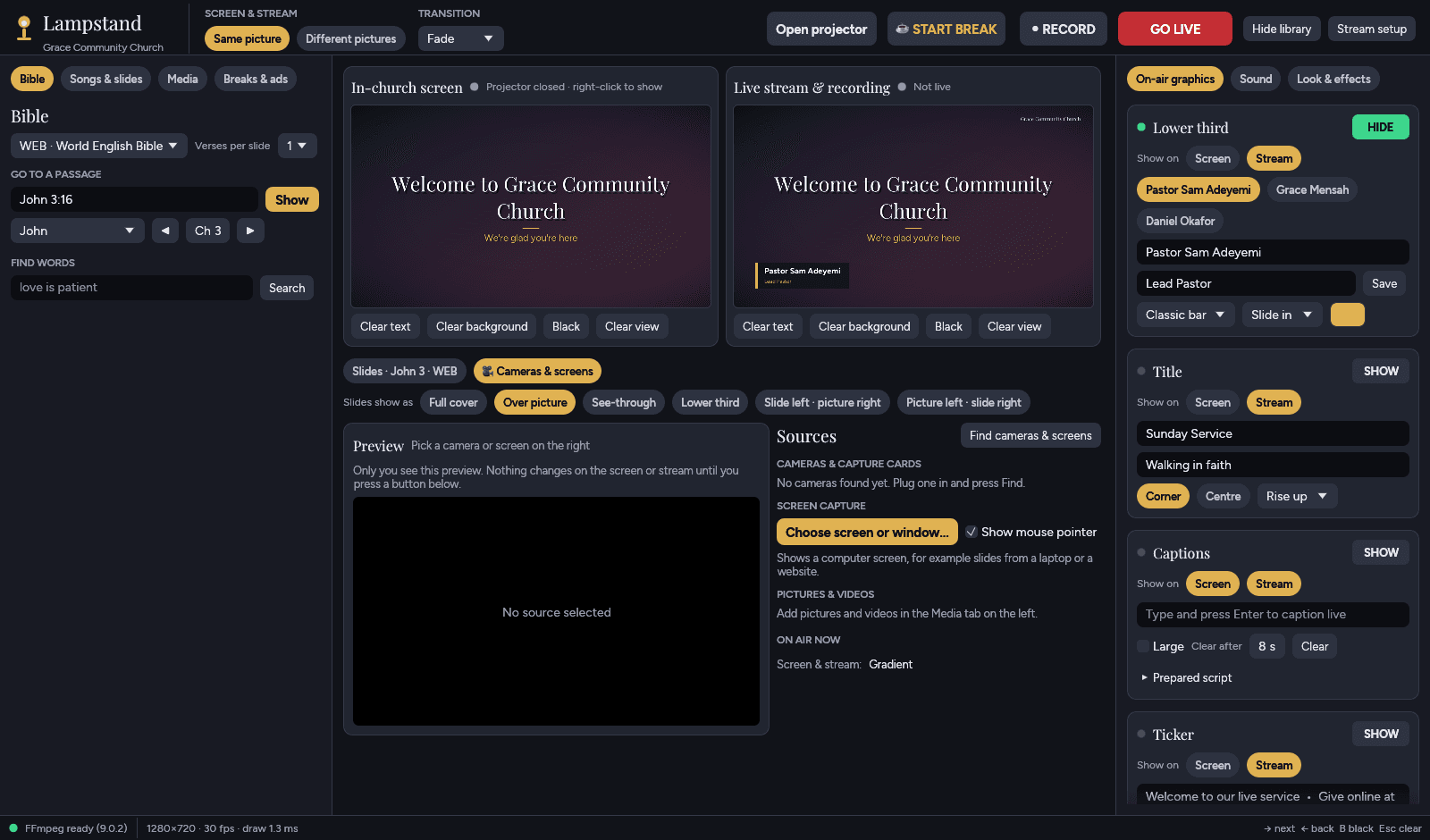
Lampstand's main window: the Bible on the left, the church screen and live stream previews in the middle, on-air graphics on the right
Left: what to show. Middle: the room and the stream. Right: what goes on top.

What people see

Made for the room and the stream

Clear type that reads from the back row, and a stream that looks like it had a production team.
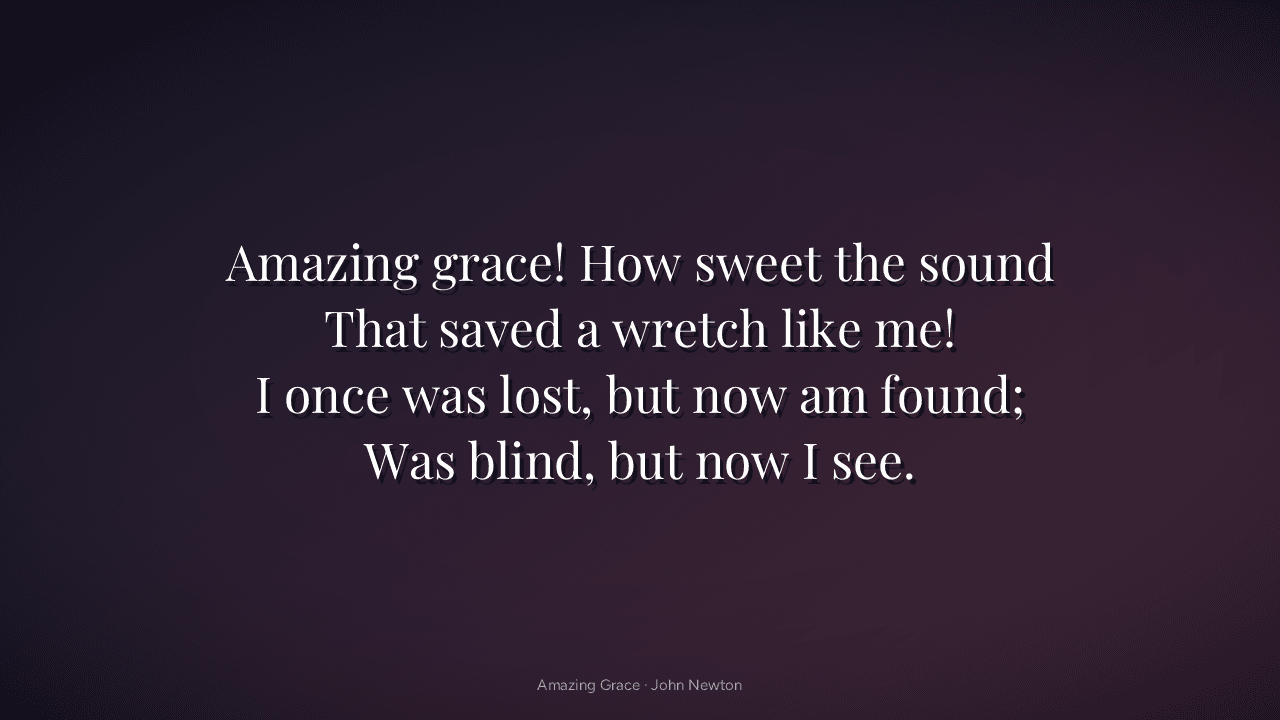
Amazing Grace lyrics on a dark purple background on the church screen

Songs

Paste the lyrics once. Lampstand splits them into slides at each verse and chorus.
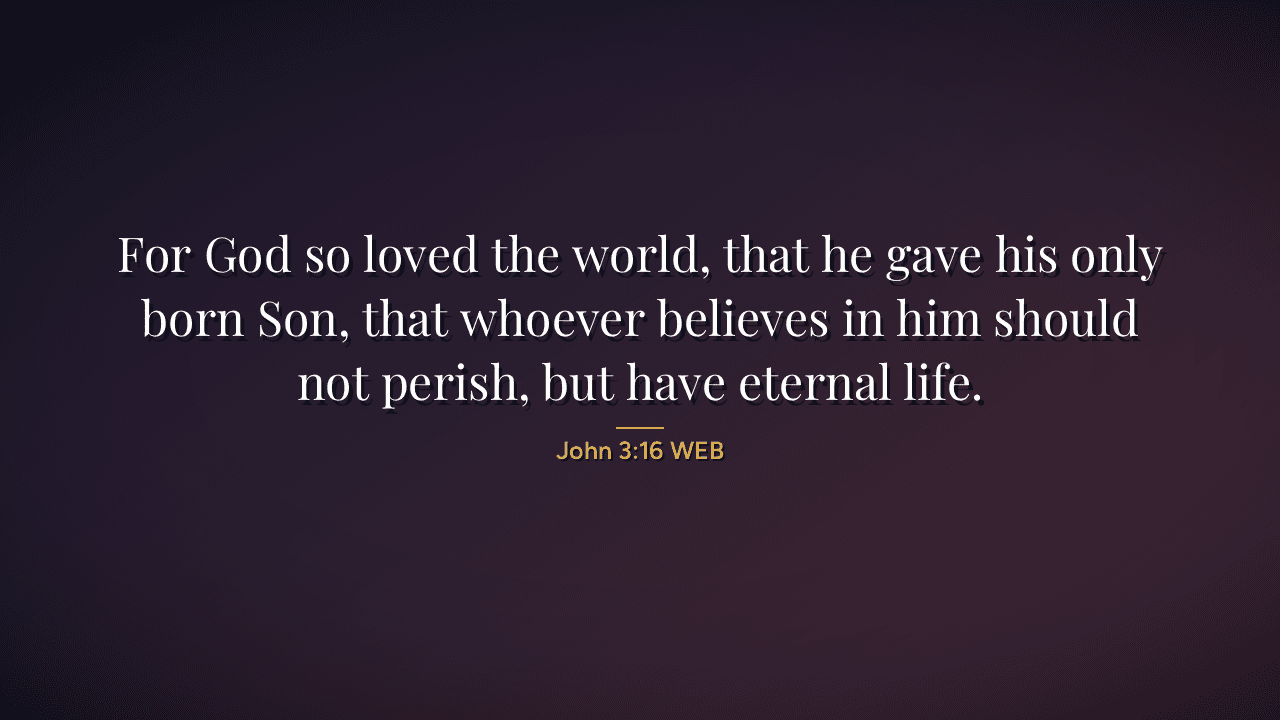
John 3:16 in large serif type with the reference underneath

Scripture

Type John 3:16 and press Show. The WEB and KJV Bibles are built in and work offline.
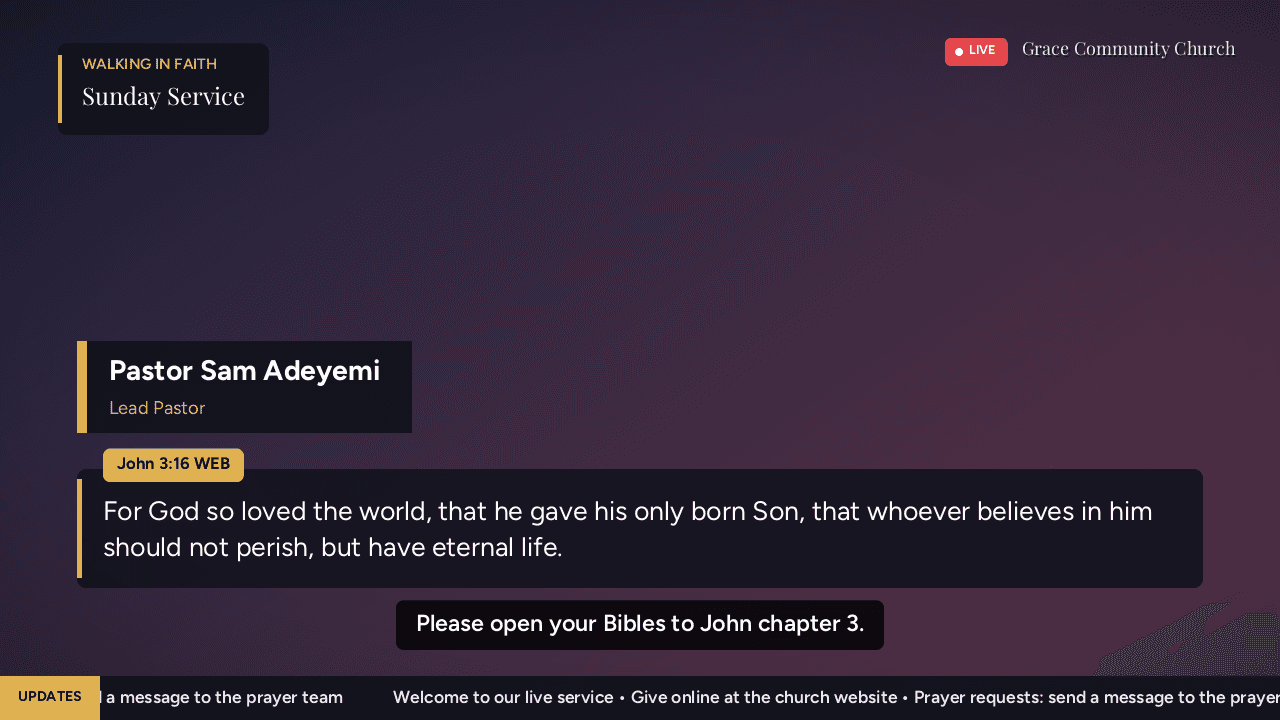
Live stream frame with a pastor's name bar, a Bible verse, a caption and a scrolling ticker

The live stream

Name bars, the sermon title, the verse being read, live captions and a news ticker, only on the stream if you want.
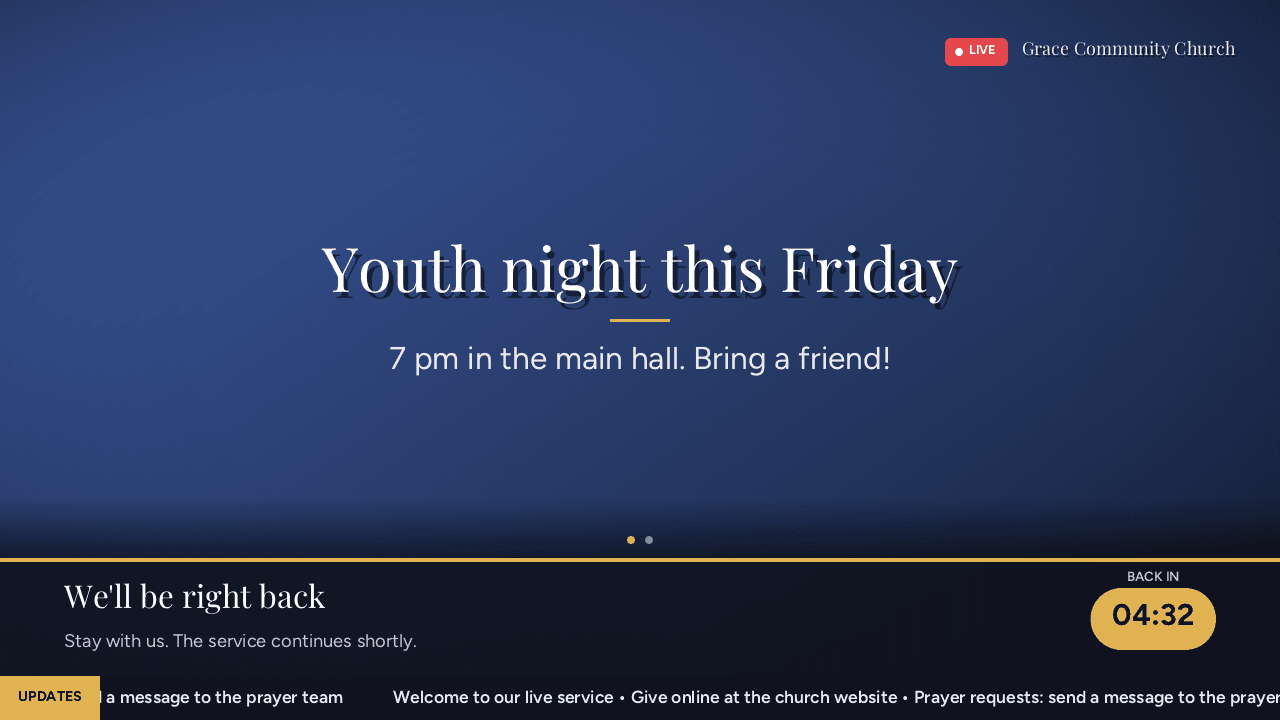
Break screen with an announcement, a 'we'll be right back' bar and a countdown

Breaks

One button puts up announcements and a countdown while the service pauses.

Built for volunteers

Easy enough for whoever is on duty this week

  • Go live in one click

    YouTube, Facebook, Twitch or Vimeo. Paste the stream key once; Lampstand remembers it every Sunday.

  • Bible lookup that keeps up

    Jump to any passage or search by words. Pick how many verses go on each slide.

  • Two screens, one decision

    The room and the stream can show the same picture or different ones. Switch with one button.

  • Cameras and screens

    USB cameras, capture cards, or another computer's screen, shown full size or behind the words.

Download Lampstand

For Windows 10 and 11, macOS 11 or newer, and 64-bit Linux.

  • Windows

    38.9 MB

    Run the installer and Lampstand opens when it's done, ready to stream and record. If a blue "Windows protected your PC" box appears, choose More info, then Run anyway.

    Download .msi
  • macOS

    84.9 MB

    Drag Lampstand to Applications and open it. The first time, the Mac says it can't check the app: click Done, then in System Settings → Privacy & Security click Open Anyway. Works on Apple chips and Intel Macs, macOS 11 or newer.

    Download .dmg

Setting it up for your church?

Tell us about your room, cameras and stream at support@eligapris.com and we'll help you get Sunday running.

More from Eligapris
  • Captions as you speak

    Type a line and press Enter, or step through a prepared script. Captions clear by themselves.

  • Record while you stream

    Keep a copy of every service on the computer, with or without going live.

  • Run it from the keyboard

    Arrow keys or Space to step through slides, B for a black screen, Esc to clear.

  • No account, no internet needed

    Everything except the live stream works offline, and everything it needs to stream and record comes with it.

  • Lampstand's Cameras and screens panel with a preview and a list of cameras, capture cards and screens
  • Linux (.deb)

    9.9 MB

    For Ubuntu, Debian, Mint and Pop!_OS. Open it with Software Install, or run: sudo apt install ./lampstand_*_amd64.deb. FFmpeg is installed with it.

    Download .deb
  • Linux (.rpm)

    12.5 MB

    For Fedora and openSUSE. Open it with Software, or run: sudo dnf install ./lampstand-*.rpm. FFmpeg is installed with it.

    Download .rpm
  • What's new in 0.0.4

    A sound strip in the top bar shows the microphone and music levels and mutes either one on the stream with a click. Pick your sound desk or mic in Sound, and route each sound to the stream or the room. The right panel is tidier, with one section open at a time.

    Windows says "Smart App Control blocked an app"?

    Some new Windows 11 PCs have Smart App Control turned on. It only runs apps signed with a certificate Microsoft recognises, and Lampstand isn't signed yet, so on those PCs it won't open and there's no "Run anyway". A signed version is on the way. Until then, use another computer, or email support@eligapris.com and we'll let you know the day it's ready.